
Arduino UNO R4 - Micro SD Kaart
In deze gids leren we hoe u een Micro SD Kaart gebruikt met de Arduino UNO R4. We behandelen de volgende onderwerpen:
- Arduino UNO R4 - Een bestand openen of aanmaken op Micro SD Kaart
- Arduino UNO R4 - Data schrijven naar een bestand op Micro SD Kaart
- Arduino UNO R4 - Lezen van een bestand op Micro SD Kaart karakter per karakter
- Arduino UNO R4 - Lezen van een bestand op Micro SD Kaart regel per regel
- Arduino UNO R4 - Inhoud toevoegen aan een bestaand bestand op Micro SD Kaart
- Arduino UNO R4 - Een bestand overschrijven op Micro SD Kaart
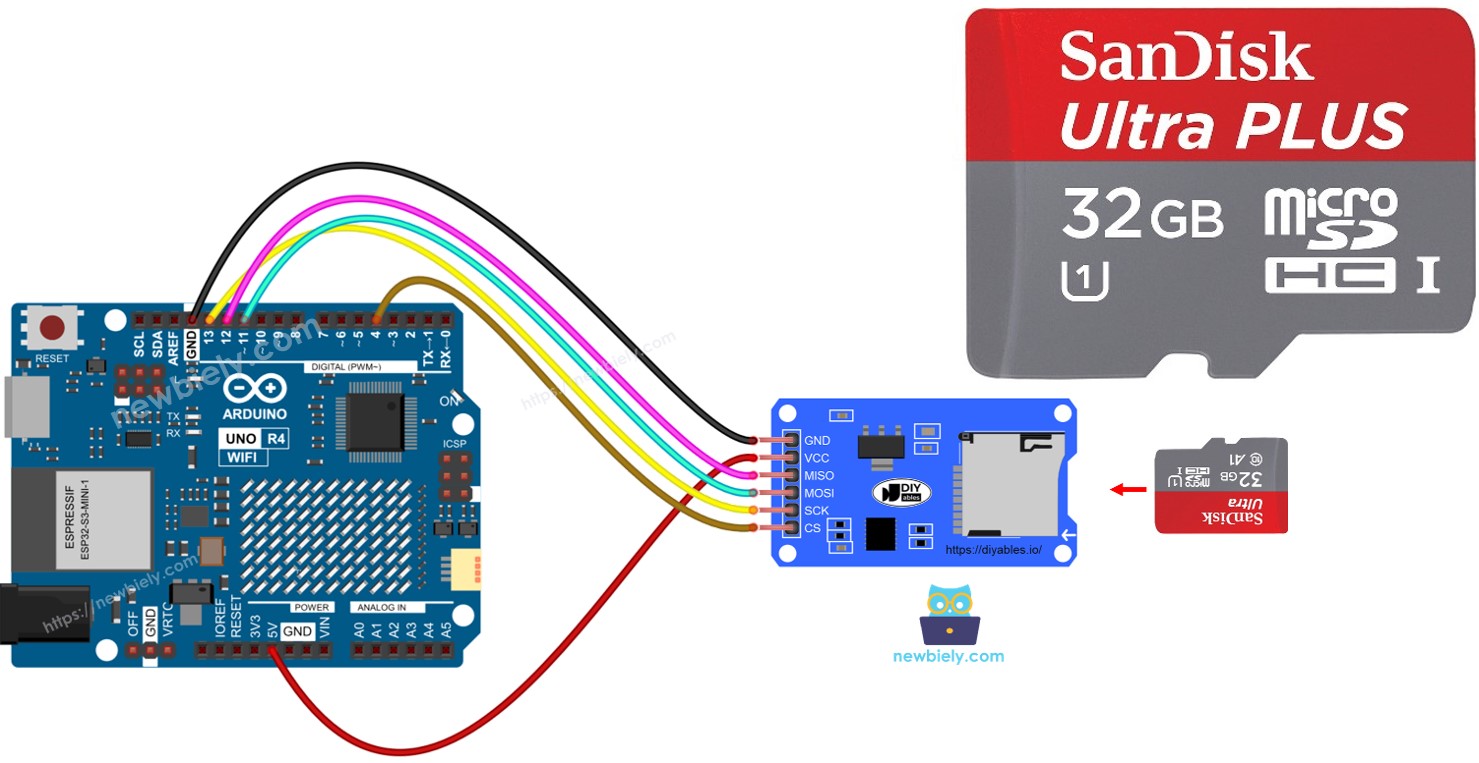
Benodigde Hardware
Of u kunt de volgende kits kopen:
| 1 | × | DIYables STEM V4 IoT Starterskit (Arduino inbegrepen) | |
| 1 | × | DIYables STEM V4B IoT Starterskit (Arduino inbegrepen) | |
| 1 | × | DIYables Sensorkit (18 sensoren/displays) |
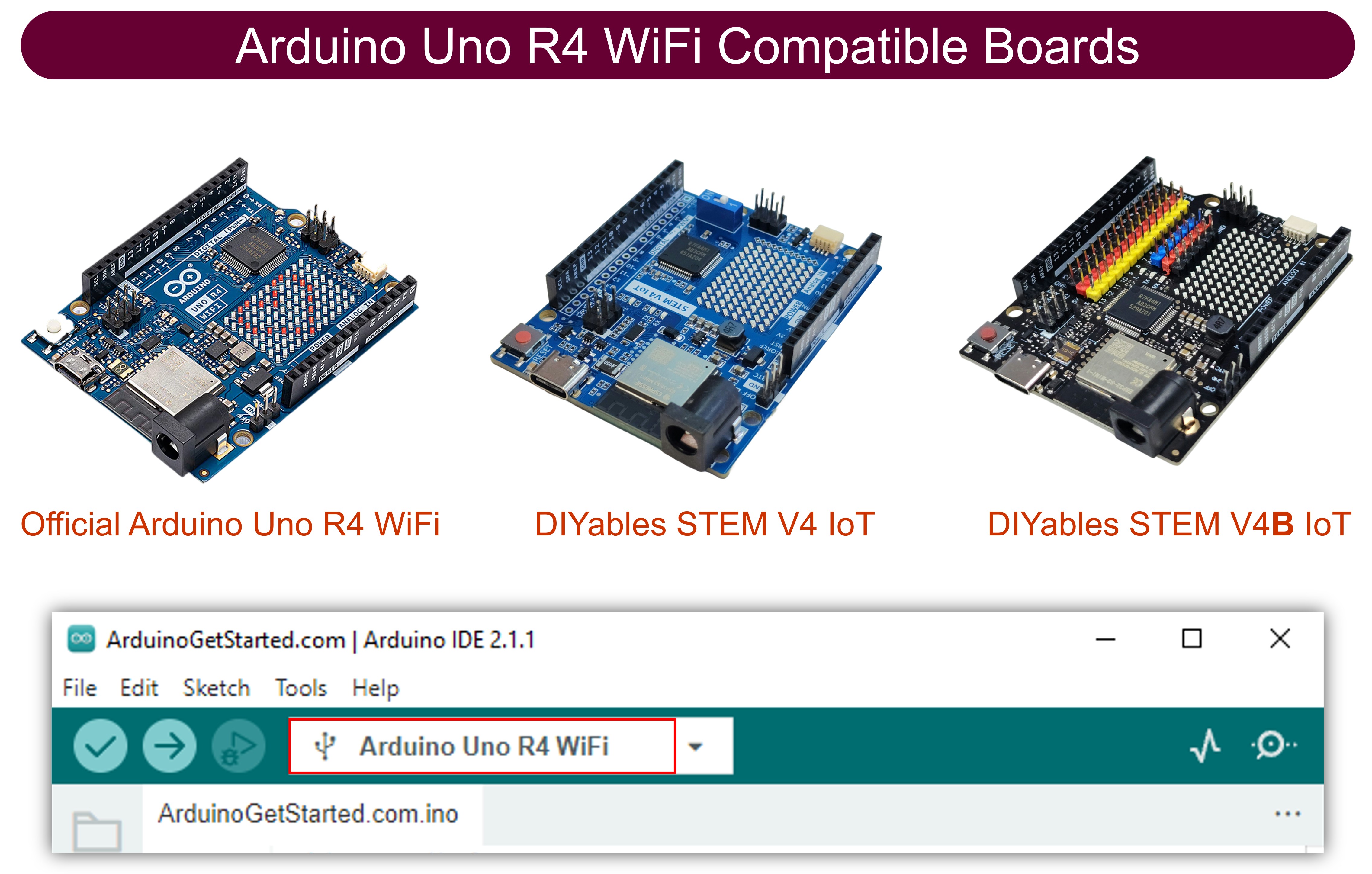
Over de Micro SD Kaart Module
De Micro SD Kaart Module verbindt met de Arduino UNO R4 en houdt een Micro SD Kaart vast. Dit betekent dat de Micro SD Kaart Module fungeert als een schakel tussen de Arduino UNO R4 en de Micro SD Kaart.
Pinout
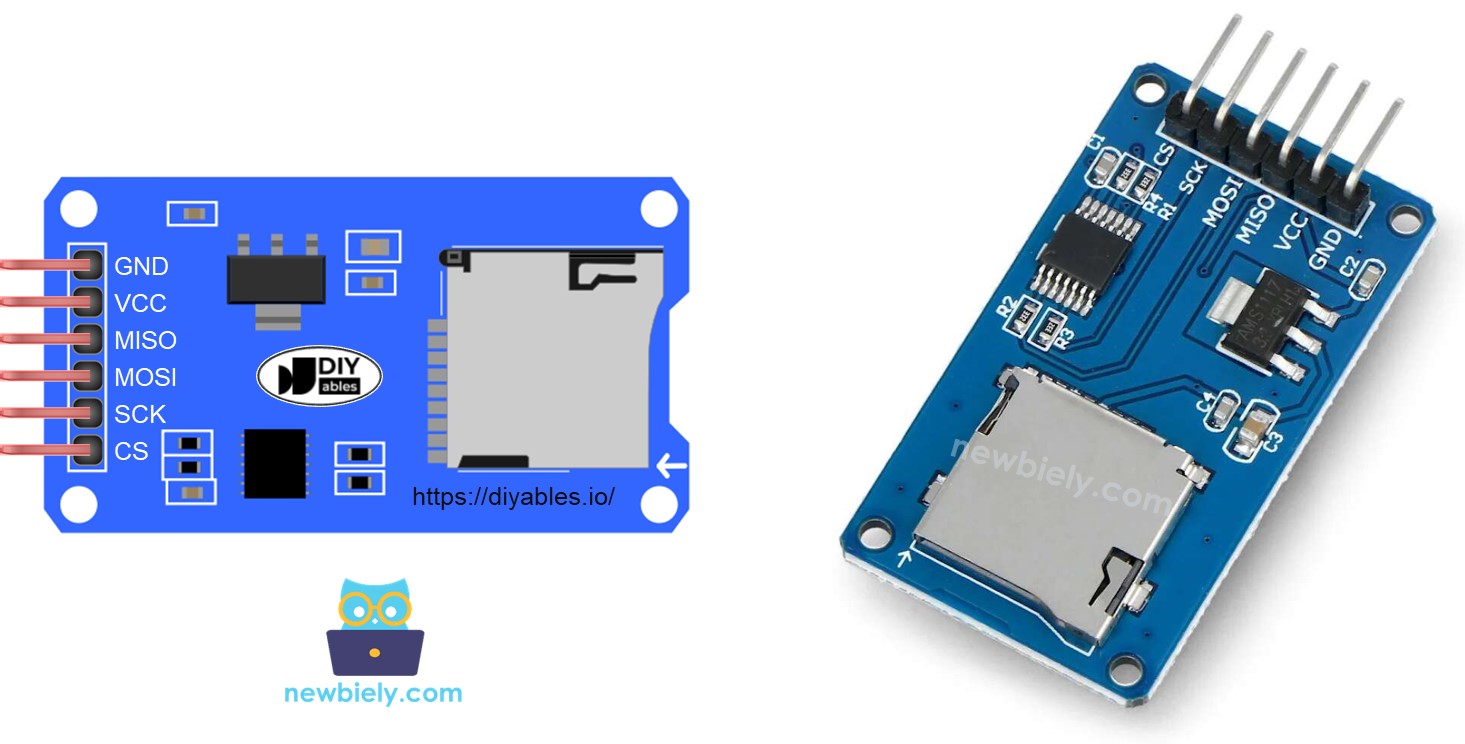
De Micro SD Kaart Module heeft 6 pinnen:
- Verbind de VCC-pin met de 5V-pin op de Arduino UNO R4.
- Verbind de GND-pin met de GND op de Arduino UNO R4.
- Verbind de MISO-pin met de MISO-pin op de Arduino UNO R4.
- Verbind de MOSI-pin met de MOSI-pin op de Arduino UNO R4.
- Verbind de SCK-pin met de SCK-pin op de Arduino UNO R4.
- Verbind de SS-pin met de pin die in de Arduino UNO R4 code als SS-pin wordt geïdentificeerd.
Voorbereiding
- Steek de Micro SD Kaart in uw computer met behulp van een USB 3.0 SD Kaart Reader.
- Controleer dat de Micro SD Kaart geformatteerd is als FAT16 of FAT32. U kunt online zoeken om uit te vinden hoe u dit kunt doen.
Bedradingsdiagram
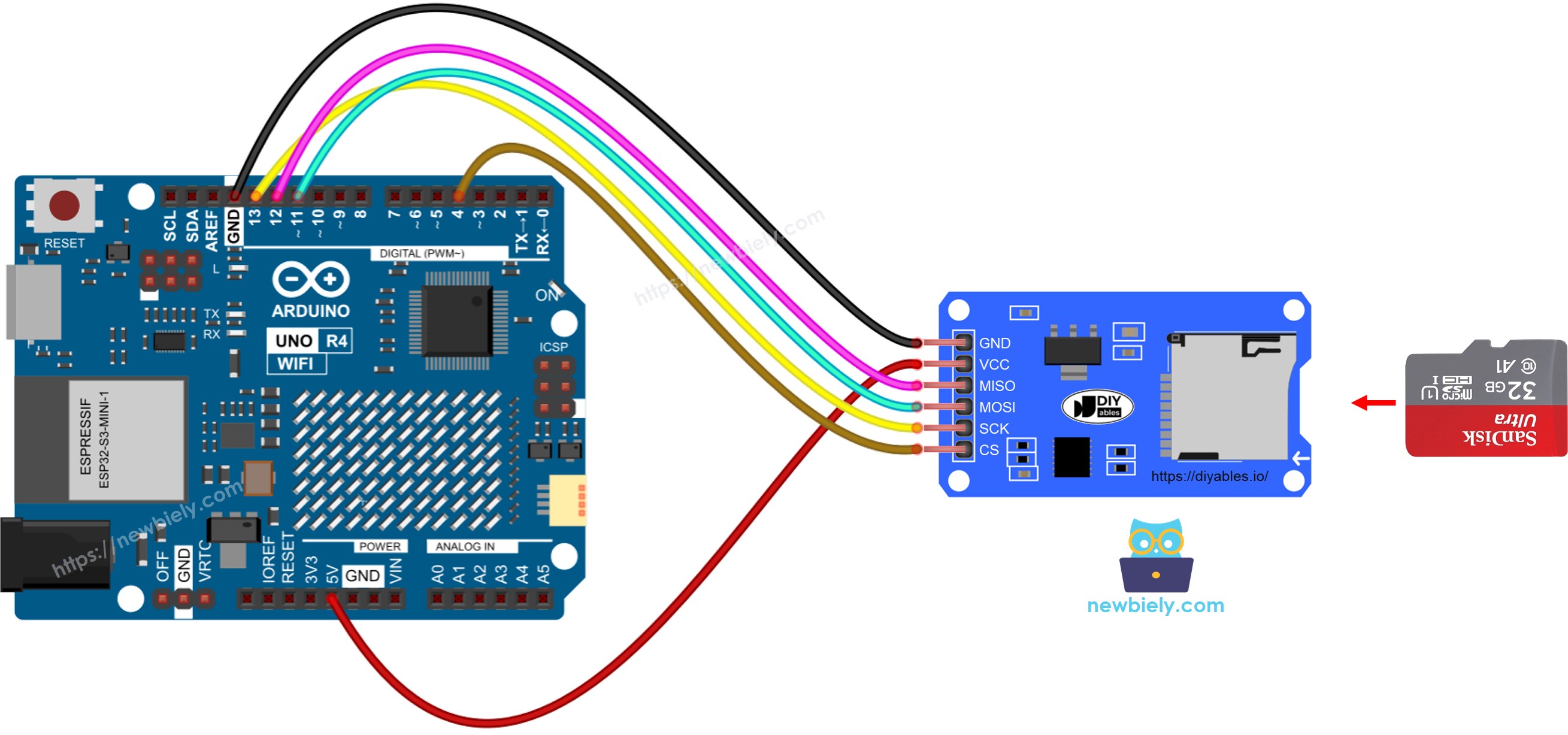
Deze afbeelding is gemaakt met Fritzing. Klik om de afbeelding te vergroten.
Zie De beste manier om Arduino Uno R4 en andere componenten van stroom te voorzien.
※ Notiz:
Als u een Ethernet shield of een andere shield met een Micro SD Kaart Houder heeft, hoeft u de Micro SD Kaart Module niet te gebruiken. Plaats gewoon de Micro SD Kaart in de Micro SD Kaart Houder op de shield.
Arduino UNO R4 - Hoe een bestand op Micro SD Kaart openen en aanmaken indien niet bestaat
Arduino UNO R4 Code
Snelle Stappen
Volg deze instructies stap voor stap:
- Als dit de eerste keer is dat u de Arduino Uno R4 WiFi/Minima gebruikt, raadpleeg dan de tutorial over het instellen van de omgeving voor Arduino Uno R4 WiFi/Minima in de Arduino IDE.
- Plaats de Micro SD Kaart in de Micro SD Kaart module
- Volg het bedradingsdiagram om de Micro SD Kaart module te verbinden met de Arduino UNO R4
- Verbind het Arduino Uno R4 board met uw computer via een USB-kabel.
- Start de Arduino IDE op uw computer.
- Selecteer het juiste Arduino Uno R4 board (bijvoorbeeld Arduino Uno R4 WiFi) en COM-poort.
- Open de Serial Monitor in de Arduino IDE
- Kopieer de verstrekte code en plak deze in de Arduino IDE
- Druk op de Upload knop in de Arduino IDE om de code over te dragen naar de Arduino UNO R4.
- Controleer de Serial Monitor voor het resultaat na de eerste upload.
- Het resultaat weergegeven op de Serial Monitor voor volgende pogingen
※ Notiz:
U ziet mogelijk geen output op de Serial Monitor als u deze opent na de eerste upload.
- Verwijder de Micro SD Kaart uit de module
- Plaats de Micro SD Kaart in een USB SD Kaart reader
- Sluit de USB SD Kaart reader aan op uw computer
- Controleer of het bestand er is of niet
Arduino UNO R4 - Hoe data schrijven naar/lezen van een bestand op Micro SD Kaart
Deze code voert de volgende acties uit:
- Informatie opslaan in een bestand
- Het bestand laden en elk karakter één voor één weergeven op de Serial Monitor
- De Serial Monitor toonde de inhoud van het bestand.
※ Notiz:
Standaard wordt de data toegevoegd aan het einde van het bestand. Als u de Arduino UNO R4 herstart met de gegeven code, wordt de tekst opnieuw toegevoegd aan het bestand. Dit betekent dat u aanvullende regels zoals deze zult zien op de Serial Monitor:
U kunt ook de Micro SD Kaart uit de module verwijderen en een USB SD Kaart reader gebruiken om de bestanden op uw computer te bekijken.
Arduino UNO R4 - Hoe een bestand op Micro SD Kaart regel-voor-regel lezen
- Het resultaat weergegeven op de Serial Monitor
※ Notiz:
Als u de bestandsinhoud niet eerder heeft verwijderd, ziet u mogelijk aanvullende regels op de Serial Monitor.
Arduino UNO R4 - Hoe een bestand op Micro SD Kaart overschrijven
Normaal gesproken wordt de inhoud toegevoegd aan het einde van het bestand. Om een bestand te vervangen, verwijdert u eerst het oude bestand en maakt u vervolgens een nieuw bestand aan met dezelfde naam.
- De output op de Serial Monitor
- Herstart Arduino UNO R4
- Controleer of de inhoud van het bestand in Serial Monitor is toegevoegd.
U kunt ook de Micro SD Kaart uit de eenheid verwijderen en een USB SD Kaart reader gebruiken om de inhoud ervan op uw computer te bekijken.
Video Tutorial
We overwegen het maken van videotutorials. Als u videotutorials belangrijk vindt, abonneer u dan op ons YouTube-kanaal om ons te motiveren de video's te maken.
Functie Referenties
Opmerkingen
Gerelateerde Tutorials
📱 Aanbevolen apps
 English for KidsSpelenderwijs Engels leren voor jonge kinderen.Ontdek het opGoogle PlayBeschikbaar in deApp Store
 Bubble NoteZelfverwijderende notities – schrijf ze als berichten.Ontdek het opGoogle PlayBeschikbaar in deApp Store
 Didn't BuyVersla impulsaankopen en bespaar meer.Ontdek het opGoogle PlayBeschikbaar in deApp Store
 Knowledge PathOefentoetsen om alles te leren.Ontdek het opGoogle PlayBeschikbaar in deApp Store