
ESP32 - Rotary Encoder Servo Motor
In deze tutorial gaan we leren hoe u de ESP32 en een rotary encoder programmeert om de hoek van een servo motor te regelen.
Hardware Benodigd
Of u kunt de volgende kits kopen:
| 1 | × | DIYables Sensorkit (18 sensoren/displays) |
Aankoopadvies: Als u meerdere servomotoren gebruikt, raden we aan de PCA9685 16 Channel PWM Servo Driver Module te gebruiken om MCU-pinnen te besparen en de bedrading te vereenvoudigen.
Over Servo Motor en Rotary Encoder
Bent u niet vertrouwd met servo motors en rotary encoders, inclusief hun pinout, functionaliteit en programmering? Verken uitgebreide tutorials over deze onderwerpen hieronder:
Aansluitschema
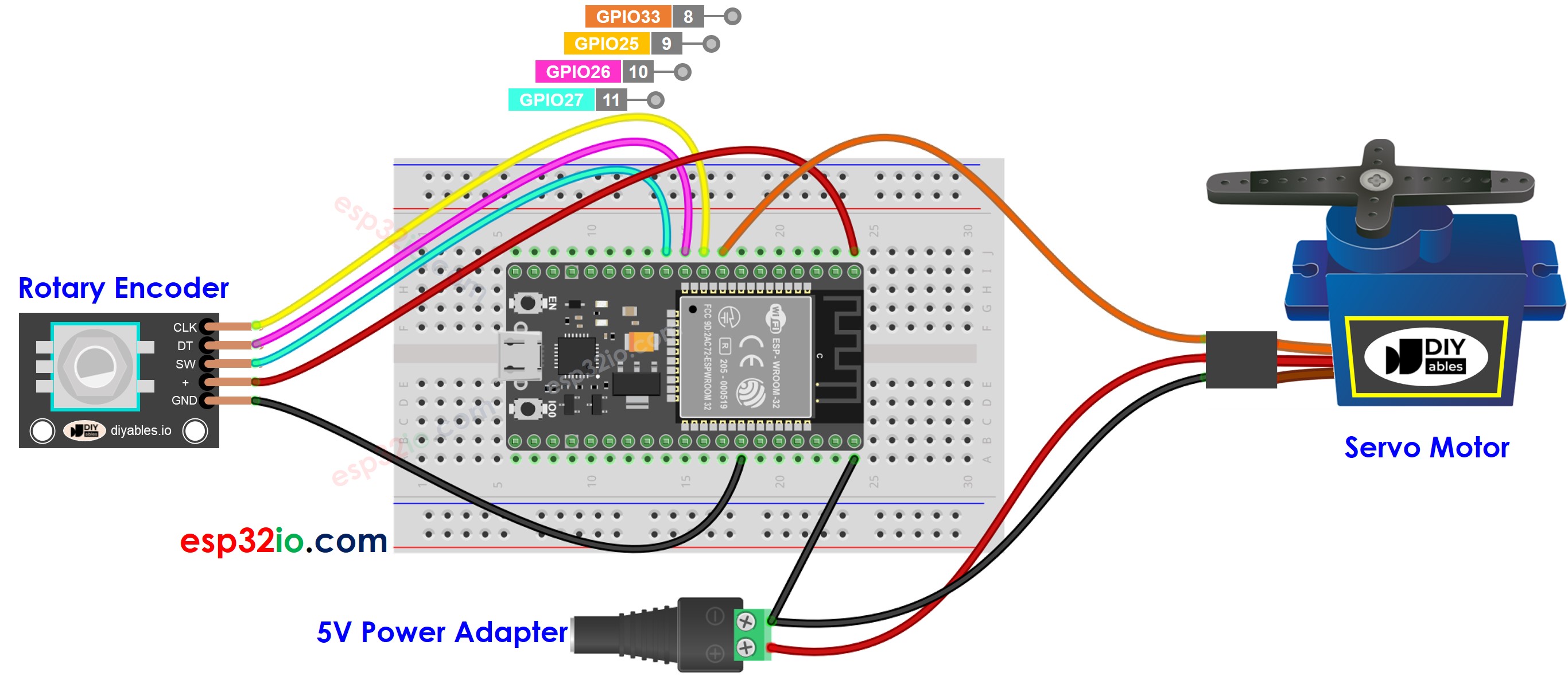
Deze afbeelding is gemaakt met Fritzing. Klik om de afbeelding te vergroten.
ESP32 Code
Snelle Stappen
- Als u ESP32 voor het eerst gebruikt, bekijk dan hoe u de omgeving instelt voor ESP32 in Arduino IDE.
- Maak de bedrading volgens bovenstaande afbeelding.
- Verbind de ESP32 met uw pc via een micro USB-kabel.
- Open Arduino IDE op uw pc.
- Selecteer het juiste ESP32 bord (bijv. ESP32 Dev Module) en de juiste COM-poort.
- Verbind ESP32 met pc via USB-kabel
- Open Arduino IDE, selecteer het juiste bord en poort
- Kopieer de bovenstaande code en open deze met Arduino IDE
- Klik op de Upload knop in Arduino IDE om de code naar de ESP32 te uploaden
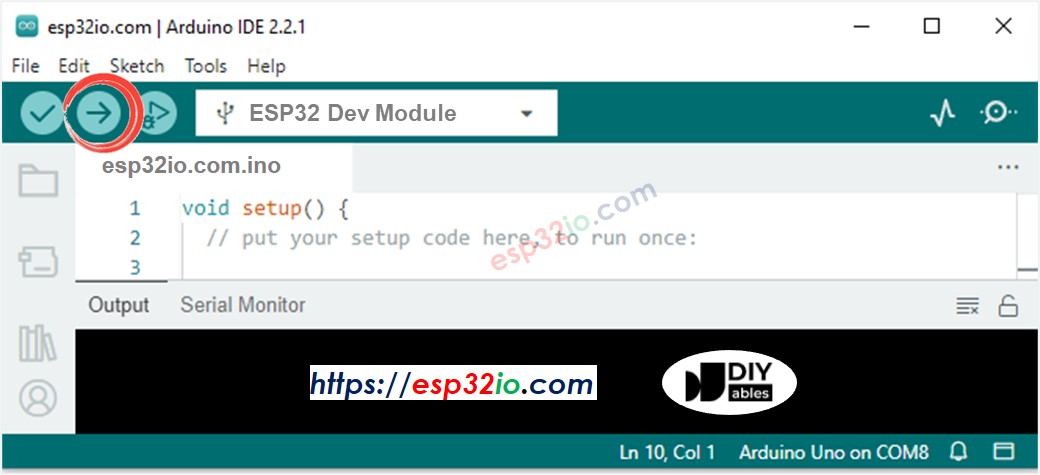
- Open de Seriële Monitor
- Draai aan de rotary encoder
- Observeer de rotatie van de servo motor
- Bekijk de resultaten op de Seriële Monitor
Code Uitleg
Lees de lijn-voor-lijn uitleg in de commentaarregels van de broncode!
Video Tutorial
We overwegen het maken van videotutorials. Als u videotutorials belangrijk vindt, abonneer u dan op ons YouTube-kanaal om ons te motiveren de video's te maken.
Functiereferenties
Gerelateerde Tutorials
📱 Aanbevolen apps
 English for KidsSpelenderwijs Engels leren voor jonge kinderen.Ontdek het opGoogle PlayBeschikbaar in deApp Store
 Bubble NoteZelfverwijderende notities – schrijf ze als berichten.Ontdek het opGoogle PlayBeschikbaar in deApp Store
 Didn't BuyVersla impulsaankopen en bespaar meer.Ontdek het opGoogle PlayBeschikbaar in deApp Store
 Knowledge PathOefentoetsen om alles te leren.Ontdek het opGoogle PlayBeschikbaar in deApp Store