
Arduino RS422 naar WiFi
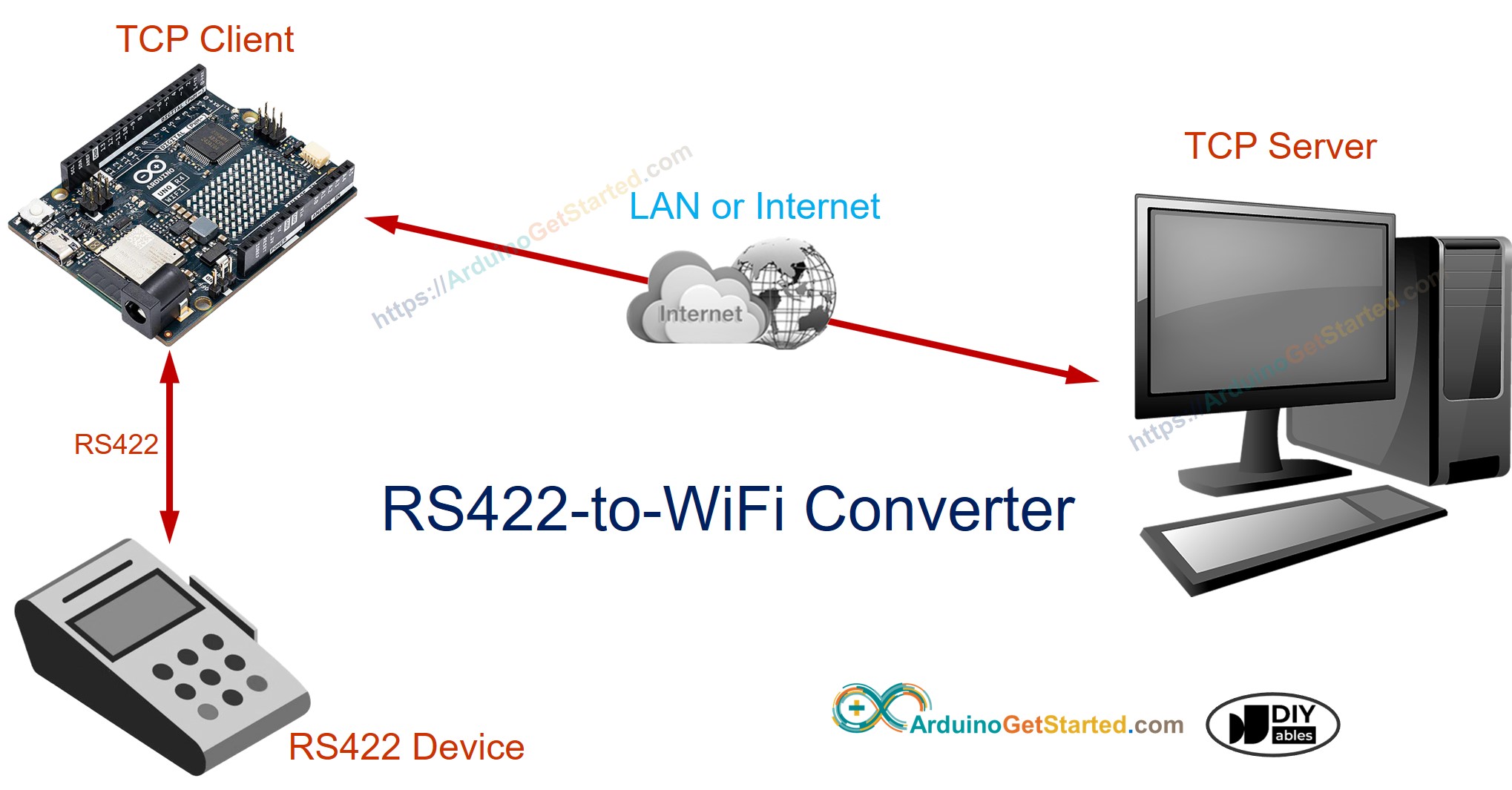
In deze handleiding gaan we aan de slag met de Arduino Uno R4 WiFi om een seriële RS422-naar-WiFi-converter te bouwen. Met deze opstelling leest de Arduino data vanaf een seriële RS422-interface en verzendt deze naar een TCP-server, zowel binnen hetzelfde lokale netwerk (LAN) als op afstand via internet. Ook kan de Arduino data ontvangen van de TCP-server en deze terugsturen via de seriële RS422-interface.
Met deze stappen stelt u veelzijdige communicatiebruggen op tussen seriële RS422-apparaten en een TCP/IP-server met behulp van Arduino.
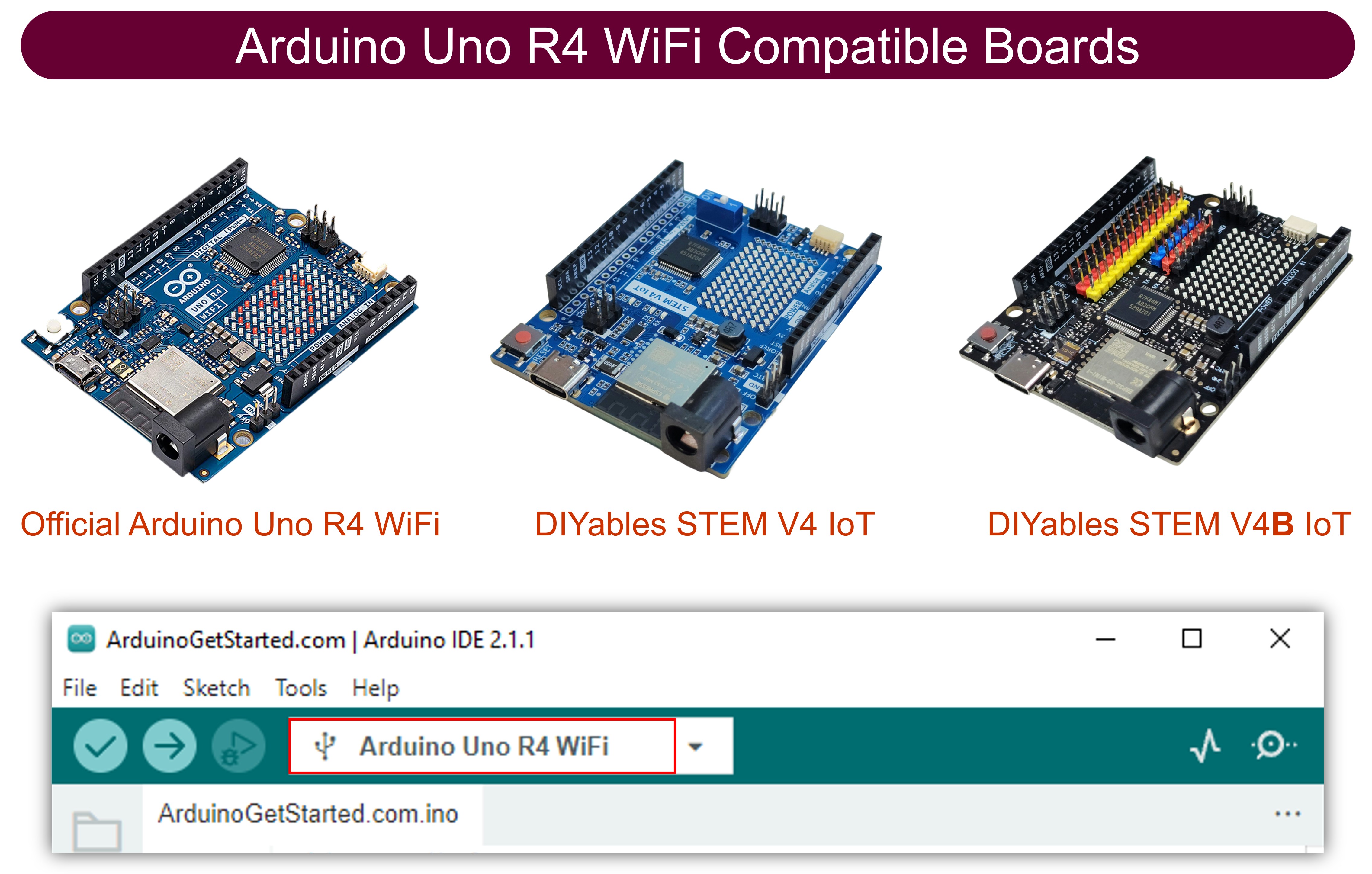
Hardware Benodigd
Of u kunt de volgende kits kopen:
| 1 | × | DIYables STEM V4 IoT Starterskit (Arduino inbegrepen) | |
| 1 | × | DIYables STEM V4B IoT Starterskit (Arduino inbegrepen) | |
| 1 | × | DIYables Sensorkit (18 sensoren/displays) |
Over RS422 en TCP
Als u nog niet bekend bent met het gebruik van RS422 en TCP-communicatie met Arduino, bekijk dan de volgende tutorials:
- Arduino - RS422 tutorial
- Arduino - TCP Client tutorial
Hoe de RS422 naar WiFi converter werkt
- De Arduino maakt verbinding met een serieel apparaat via de seriële RS422-interface
- De Arduino werkt als TCP-client en maakt verbinding met een TCP-server (dit kan software zijn op uw PC of een andere Arduino die als TCP-server is geprogrammeerd)
- De Arduino leest data van de seriële RS422-interface en stuurt deze naar de TCP-server
- De Arduino leest data van de TCP-verbinding en stuurt deze naar de seriële RS422-interface
Bedradingsschema
- Bedradingsschema bij gebruik van hardware serial
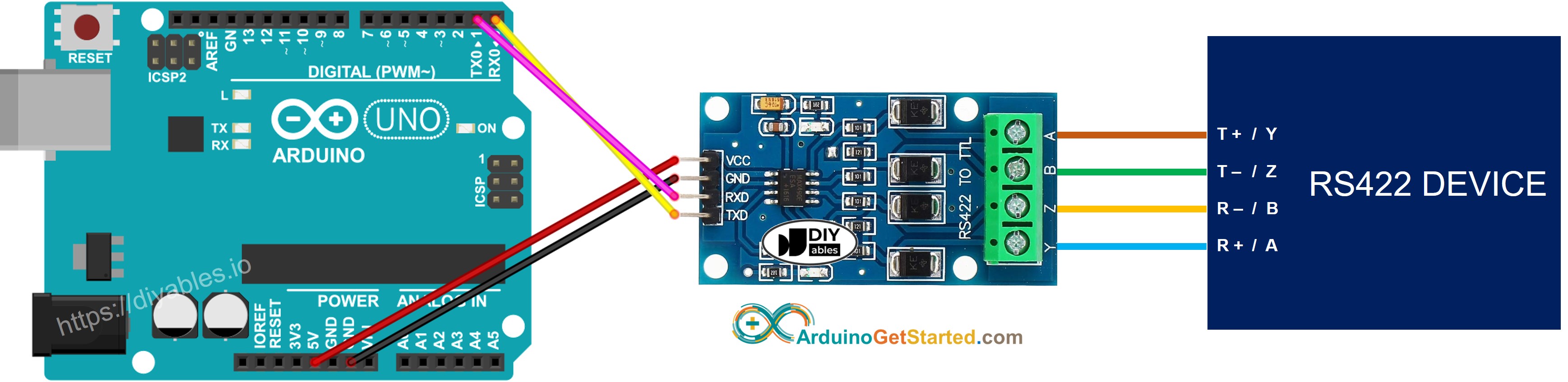
Deze afbeelding is gemaakt met Fritzing. Klik om de afbeelding te vergroten.
- Bedradingsschema bij gebruik van software serial
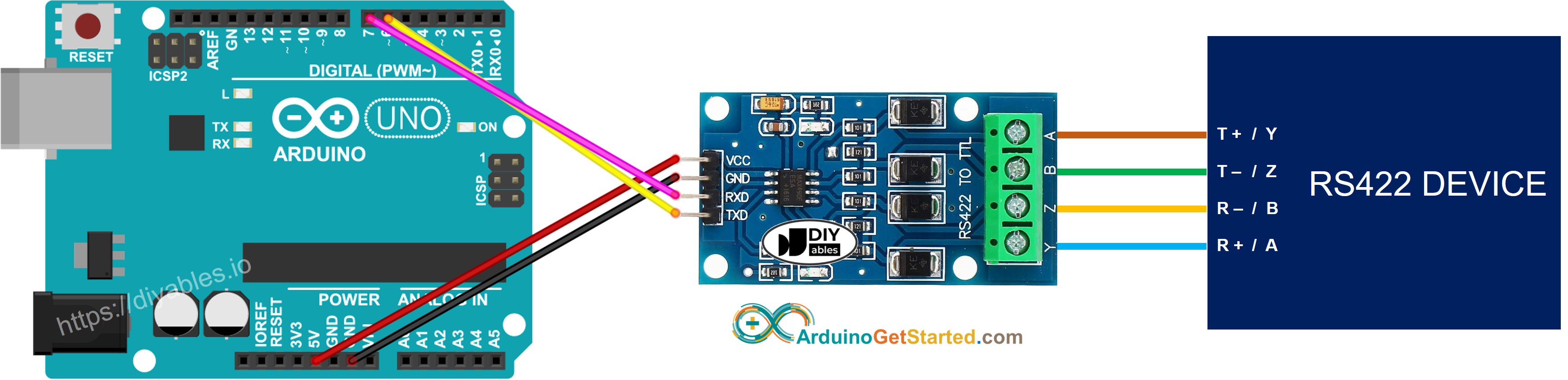
Deze afbeelding is gemaakt met Fritzing. Klik om de afbeelding te vergroten.
Arduino Code voor Hardware Serial
Arduino Code voor Software Serial
Testen
U kunt testen door data te sturen in de volgende richtingen:
- Serial Software (op uw PC) → RS422 → Arduino → WiFi → TCP Server Software (op uw PC)
- TCP Server Software (op uw PC) → WiFi → Arduino → RS422 → Serial Software (op uw PC)
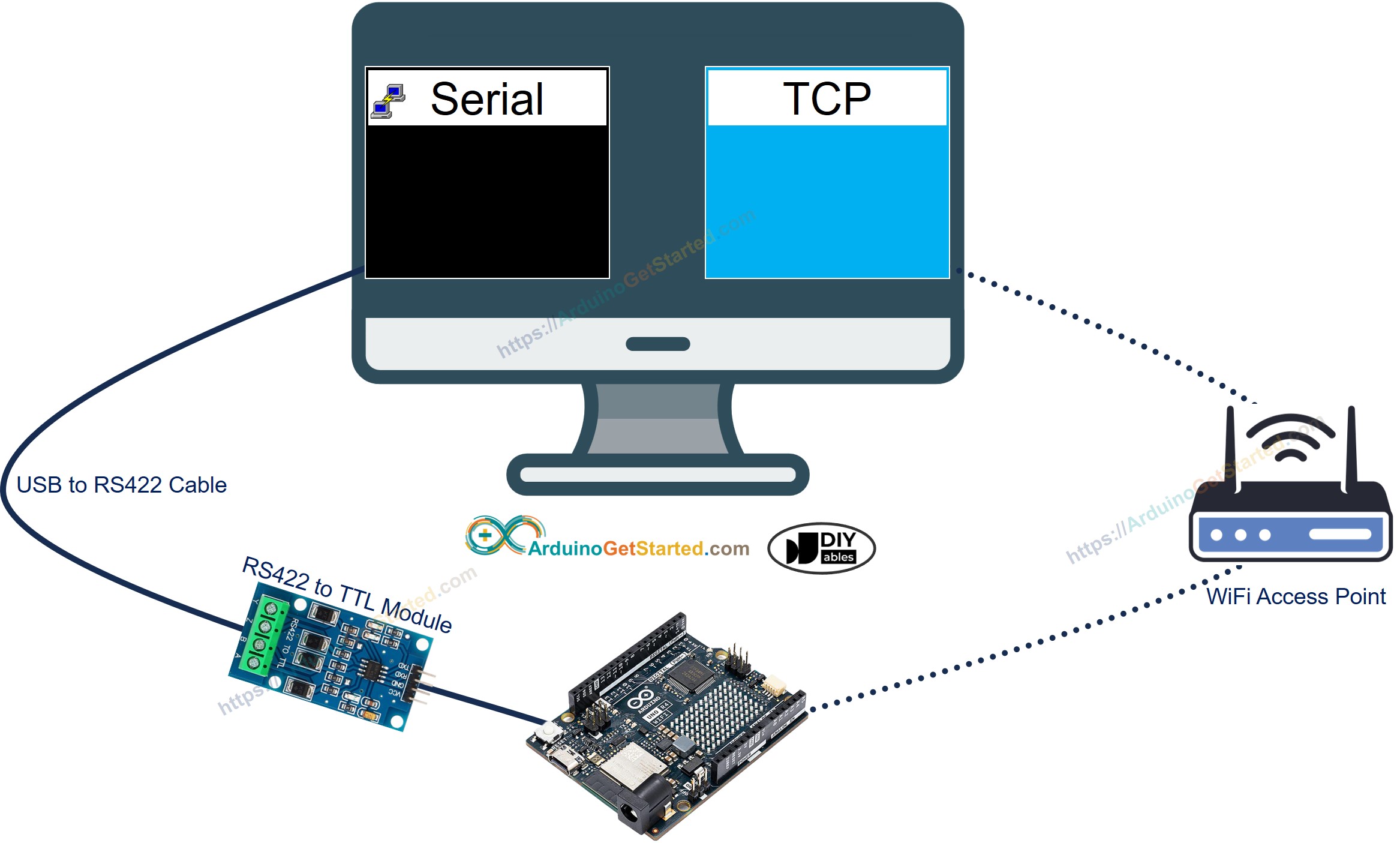
Volg daarvoor de onderstaande stappen:
- Als u voor het eerst met Arduino Uno R4 werkt, zie dan hoe u de omgeving voor Arduino Uno R4 instelt in de Arduino IDE.
- Verbind de Arduino Uno R4 WiFi met uw PC via de TTL-naar-RS422 module en de RS422-naar-USB-kabel volgens het bovenstaande bedradingsschema
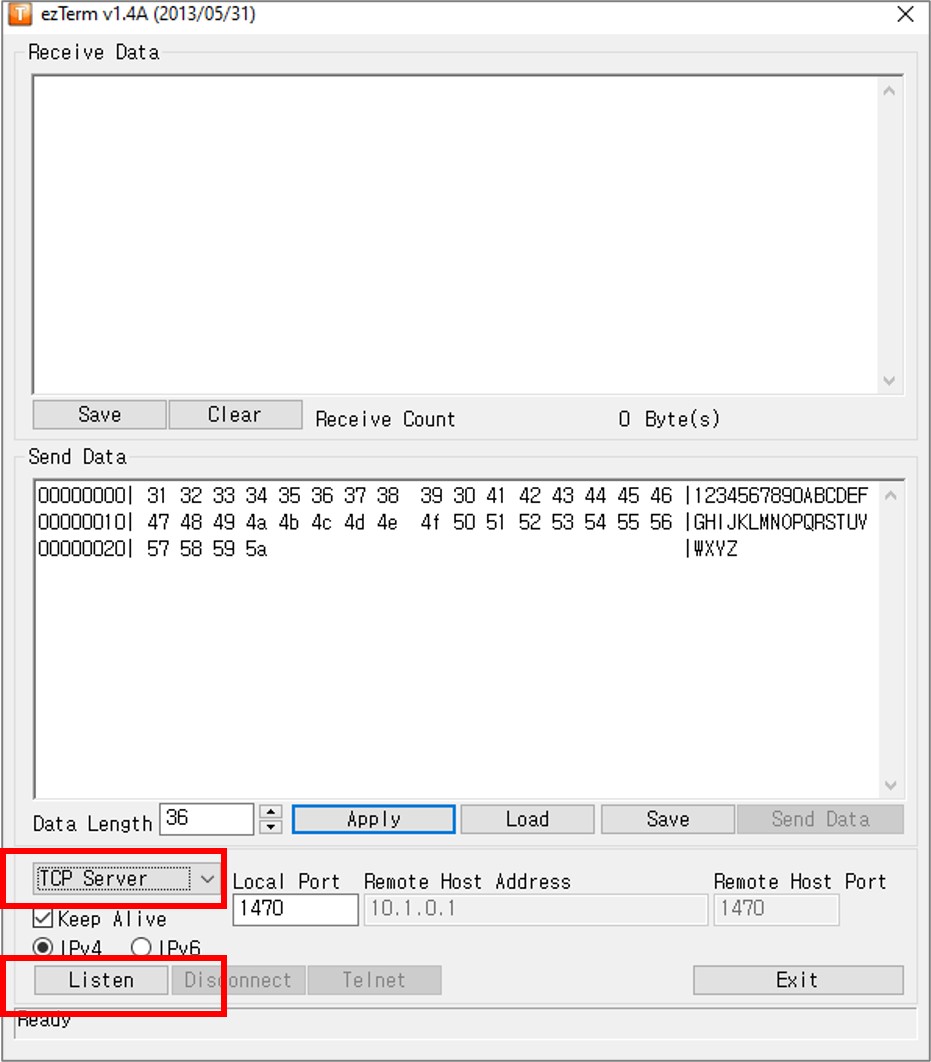
- Installeer een TCP-serverprogramma zoals ezTerm
- Open het seriële programma en configureer de seriële parameters (COM-poort, baudrate, enz.)
- Open het TCP-serverprogramma en configureer het als TCP-server, klik vervolgens op de knop Listen
- Open de Opdrachtprompt (Command Prompt) op uw PC.
- Vind het IP-adres van uw PC door onderstaande opdracht uit te voeren:
- De uitvoer ziet er ongeveer als volgt uit:
- Werk het IP-adres van de TCP-server (uw PC) bij in de Arduino-code. In bovenstaand voorbeeld: 192.168.0.26
- Compileer en upload de code naar het Arduino-bord door te klikken op de Upload knop in de Arduino IDE
- Typ wat gegevens in het seriële programma om deze via serial naar de Arduino te sturen.
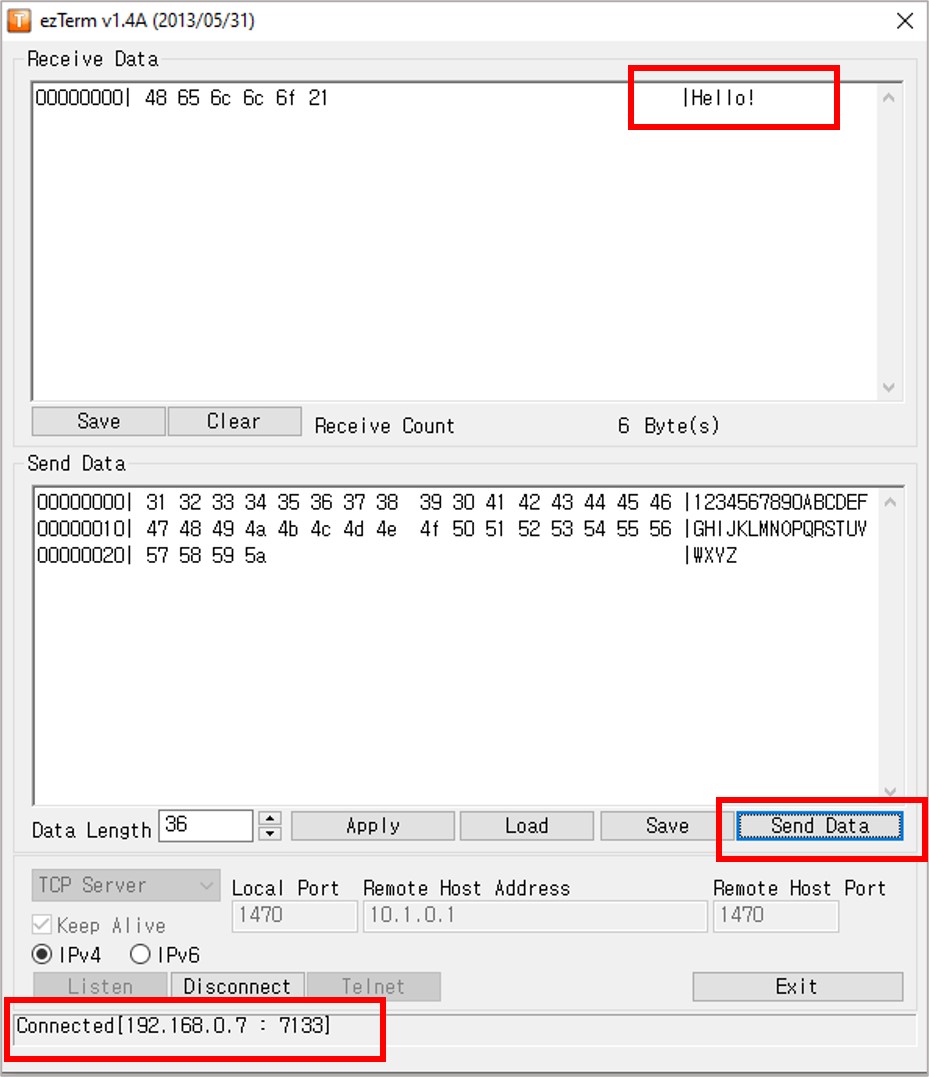
- Bij succesvolle verbinding ziet u de echo data in het TCP-serverprogramma.
- Typ wat gegevens in het TCP-serverprogramma om deze via TCP naar de Arduino te sturen.
- Bij succesvolle verbinding ziet u de echo data in het seriële programma.
Als u een commerciële RS422-naar-Ethernet converter wilt gebruiken, kunt u de CSE-H55N2 Serial To Ethernet Converter aanschaffen.
Video Tutorial
We overwegen het maken van videotutorials. Als u videotutorials belangrijk vindt, abonneer u dan op ons YouTube-kanaal om ons te motiveren de video's te maken.
Bekijk onze video-tutorial voor een visuele begeleiding bij dit project! De video biedt extra inzichten en helpt u bij elke stap.
Gerelateerde Tutorials
📱 Aanbevolen apps
 English for KidsSpelenderwijs Engels leren voor jonge kinderen.Ontdek het opGoogle PlayBeschikbaar in deApp Store
 Bubble NoteZelfverwijderende notities – schrijf ze als berichten.Ontdek het opGoogle PlayBeschikbaar in deApp Store
 Didn't BuyVersla impulsaankopen en bespaar meer.Ontdek het opGoogle PlayBeschikbaar in deApp Store
 Knowledge PathOefentoetsen om alles te leren.Ontdek het opGoogle PlayBeschikbaar in deApp Store